Start with GA4's AI Assistant channel, then inspect the source, landing page and enquiry action. That sequence tells you more about business value than a headline count of AI visits. A customer who reaches a useful service page and makes contact is the outcome worth investigating.
Some visits will lack a reliable source label. Keep that uncertainty visible. A rise in Direct traffic does not establish that AI sent those people, and a fall in labelled ChatGPT sessions does not, by itself, prove lost demand. Check your own data before changing a client's strategy.
How do I check ChatGPT traffic in GA4?
Open Reports, then Acquisition and Traffic acquisition. Look for Session default channel group and inspect AI Assistant. Next, use Session source or Session source / medium to see the observed sources. Report navigation can differ with a property's published report collection, so use the report search if the collection has been customised.
Google's current default channel documentation includes an AI Assistant channel. It excludes AI Overviews and AI Mode, whose Google Search visits remain in Organic Search. The channel identifies recognised traffic, rather than every visit influenced by an AI answer.
Export the date range and source rows before drawing conclusions. If an assistant appears under another channel, inspect its actual source and medium. Do not assume every platform or historic visit uses the same classification. Check release notes and property settings when a channel appears partway through a time series.
Which pages do those visitors reach?
Inspect landing pages for the relevant sessions. A visit to an emergency repair page has a different purpose from a visit to a general guide. Group pages by the job they do: explain a service, compare options, support a customer or invite an enquiry.
Then inspect the next step on the page. Is the contact route easy to use on a phone? Does the page answer the cost or availability concern that likely brought the visitor there? Use the data to choose a page inspection rather than treating traffic as an end in itself.
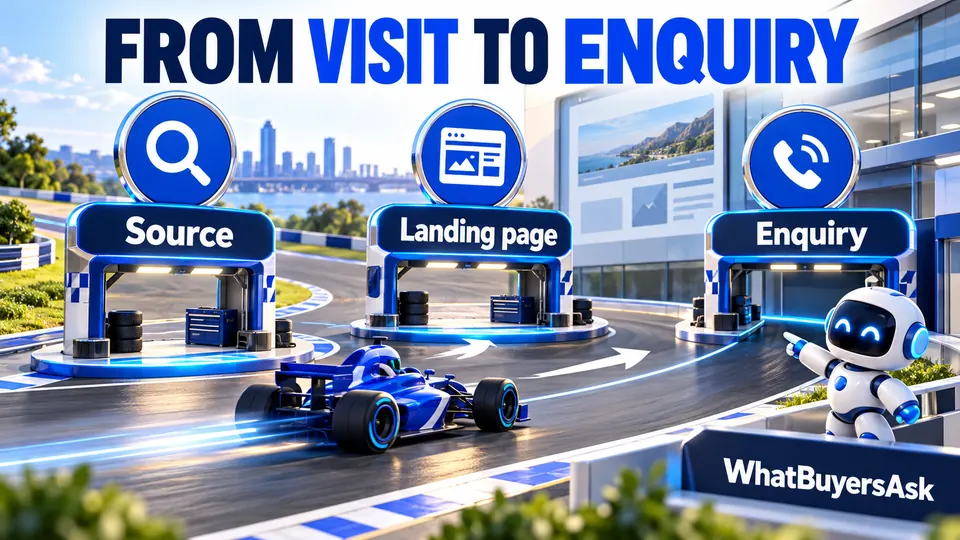
From visit to enquiry: Source, Landing page, Enquiry.
Why can AI visits appear as Direct?
A visit can lack a usable campaign tag or referrer. Apps, copied links, browser settings and other parts of the journey can affect attribution. Google's Direct traffic guidance explains how Analytics handles traffic without a clear referral source.
Compare the dates and landing pages when a labelled source changes sharply. Review redirects, consent settings, tracking deployment and any known reporting change. A similar movement in Direct is a reason to investigate, not permission to relabel all those sessions as AI.
An optional intake question helps: “How did you first hear about us?” Include “AI assistant” where appropriate, and allow a person to describe the service. Keep that self-reported source separate from the analytics attribution. A customer may have seen several sources before contacting you.
Is a reported ChatGPT traffic decline real?
It may reflect behaviour, reporting or both. Check whether the drop affects one source, one page, one device or the whole site. Review enquiry and booking data over a comparable period. Do not announce a tracking incident or a recovery solely because a social post described one elsewhere.
A useful client explanation states what you know: the labelled sessions changed, the affected dates and pages, the reporting change you verified and the outcome data. If the cause remains uncertain, say so. Avoid claiming a rebound as a campaign success without evidence connecting the work to it.
Should I create a custom channel group?
Use one when a documented reporting need remains after checking the default channel. Google's custom channel guidance explains the supported rules and access requirements. Create a group in Admin under Data display and Channel groups, using the exact source values your property actually records.
Keep the default report as a reference. Place a specific rule before broader matching rules where required and test the sessions it captures. A broad expression containing the letters “ai” can include unrelated sources. A custom rule can regroup available data; it cannot recover a referrer or campaign value that was never collected.
What are key events in GA4?
Choose actions that represent a useful step for the business and verify how they fire. A successful enquiry form submission is different from a button click. A phone-link tap shows intent to call; it does not prove the call connected or became a booked job. Google's key event guidance explains the feature.
Keep a simple chain in the client report: observed exposure, recorded visit, enquiry, qualified opportunity and booked work. Use the booking system or CRM for the later stages. Do not add those different counts together as though they measure one thing.
How does this connect to Search Console?
Use the Generative AI report guide for Google's AI exposure data. Keep it beside GA4 and enquiry reporting rather than treating a matching weekly movement as a user-level journey. Different measurement systems and time zones can produce totals that do not line up exactly.
For a monthly review, save the date ranges, channel definition, sources and landing pages you used. Record important site changes. Present the result as an inspectable business story: which pages brought relevant visitors, what those visitors could do next and which uncertainty remains.
What is AI referral traffic?
It is traffic attributed to an AI source through the signals available to Analytics. It is a recorded subset of visits, not a complete count of every customer influenced by AI.
Can GA4 show every AI Overview click separately?
The current default channel groups those Google Search visits under Organic Search. Do not present the AI Assistant channel as a separate total for Google AI features.
What if the channel is empty?
Check the date range, actual source rows and tracking setup. An empty channel does not prove that no customer used AI before visiting or calling.
Can we add tracking to every AI link ourselves?
You control the links you publish and campaigns you tag, not every answer an assistant generates. Verify the actual arrival data and avoid claiming complete attribution.
How does WhatBuyersAsk help beyond Analytics?
Analytics starts with recorded visits. Buyer research examines the questions people may ask before that visit, along with saved answers and source evidence. Use it to choose which page needs attention, then check whether the next step helps an appropriate prospect enquire.
Bring the questions and outcomes into the same client conversation. Read how research works, create your workspace, or sign in to continue with a client.